Finite Element Analysis Post-Processing
Import and visualize static and modal analysis results directly from CalculiX FRD files.
This tutorial demonstrates how to import simulation results and interactively explore engineering data using contour plots and deformation visualization.
Bending Stress Distribution.
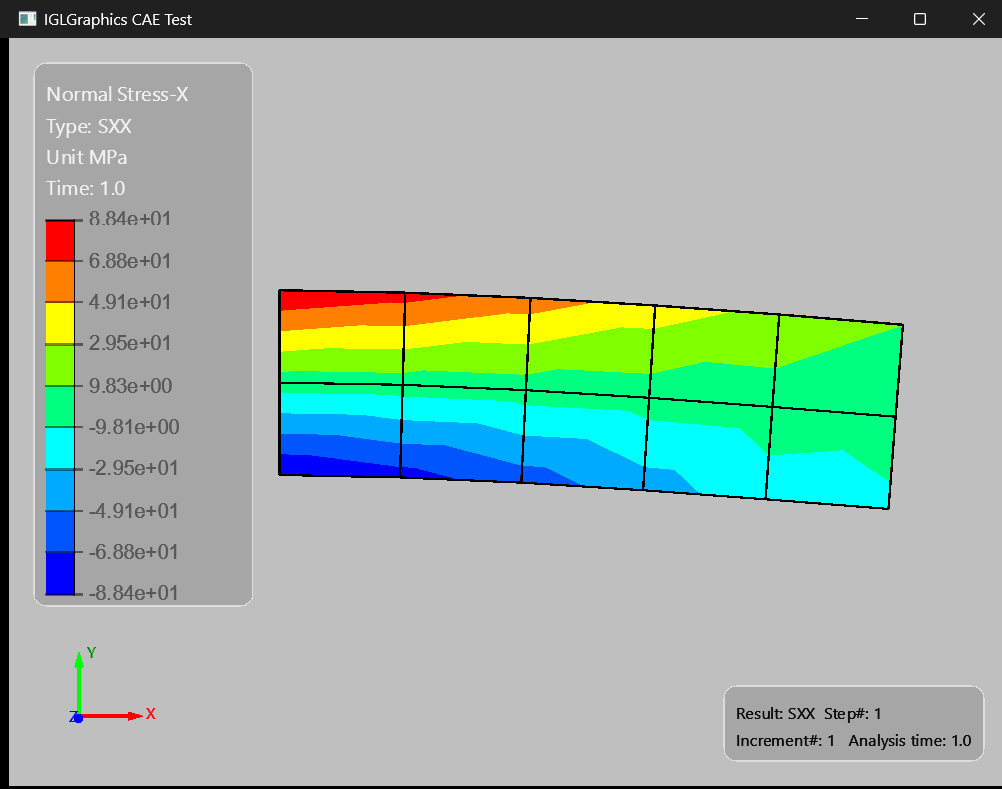
# Import necessary modules

import sys  # Provides access to system-specific parameters and functions
from PySide6.QtWidgets import QApplication, QMainWindow  # Import Qt widgets for GUI application

# Import IGLGraphics modules for display context and viewer
from IGLGraphics.core.IGLDisplayContext import IGLDisplayContext
from IGLGraphics.graphics.IGLViewer import IGLViewer
from IGLGraphics.core.IGLGlobals import IGLFEAResultType

# import IGLCAE class from cae module
from IGLGraphics.cae.IGLCAE import IGLCAE

# Create the QApplication instance,
# which manages the application's control flow and main settings
app = QApplication(sys.argv)

# Create the main window of the application
win = QMainWindow()

# Set the title of the main window
win.setWindowTitle("IGLGraphics CAE Test")

# Create an instance of IGLViewer, which is a IGLViewer widget for
# displaying models and handling user interactions

view = IGLViewer()

# Create an IGLDisplayContext associated with the viewer, for managing graphics rendering context

thecontext = IGLDisplayContext(view)

# Create an instance of IGLCAE, which is a CAE model handler,
# and set its display context to the one we just created.
# Then, load a CAE model from a specified file path.

wglcae = IGLCAE()
wglcae.SetContext(thecontext)  # Set the display context for the CAE model
wglcae.LoadModel(r"beam.frd")

resname = IGLFEAResultType.SX
wglcae.DisplayResults(resname,1,1,'MPa', defoscale=50.0)

# Set the central widget of the main window to the IGLViewer
win.setCentralWidget(view)

# Resize the window to 800x600 pixels
win.resize(800, 600)

# Show the main window
win.show()

view.OnZoomFit()  # Adjust the view to fit the entire model in the viewport

# Start the application's event loop and exit when it finishes
sys.exit(app.exec())