IGLGraphics

Engineering Visualization Framework for Python

IGLGraphics is a modular engineering visualization framework designed for developing interactive CAD, mesh, and finite element post-processing applications using OpenGL , Python and PySide6.

The framework provides reusable systems for geometry visualization, object selection, annotations, clipping, mesh rendering, result visualization and engineering application workflows.
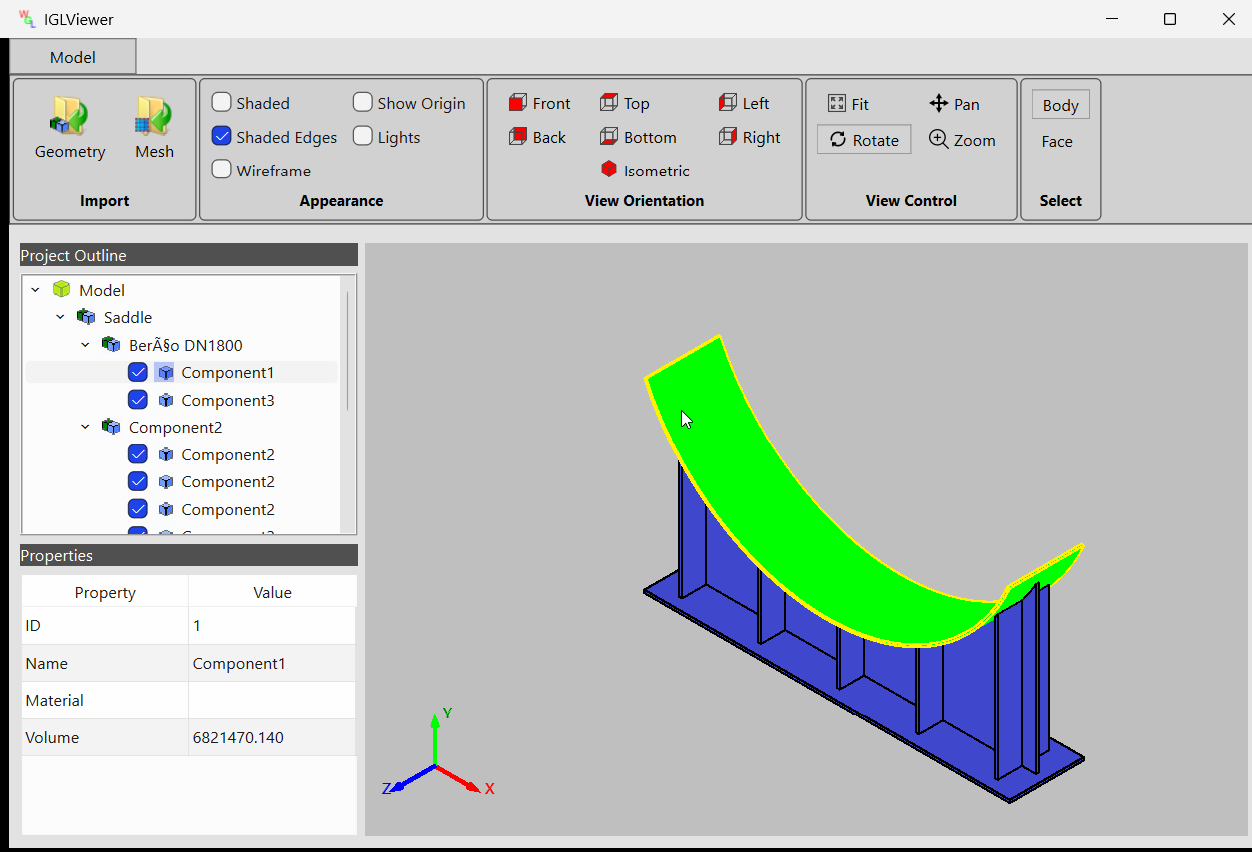
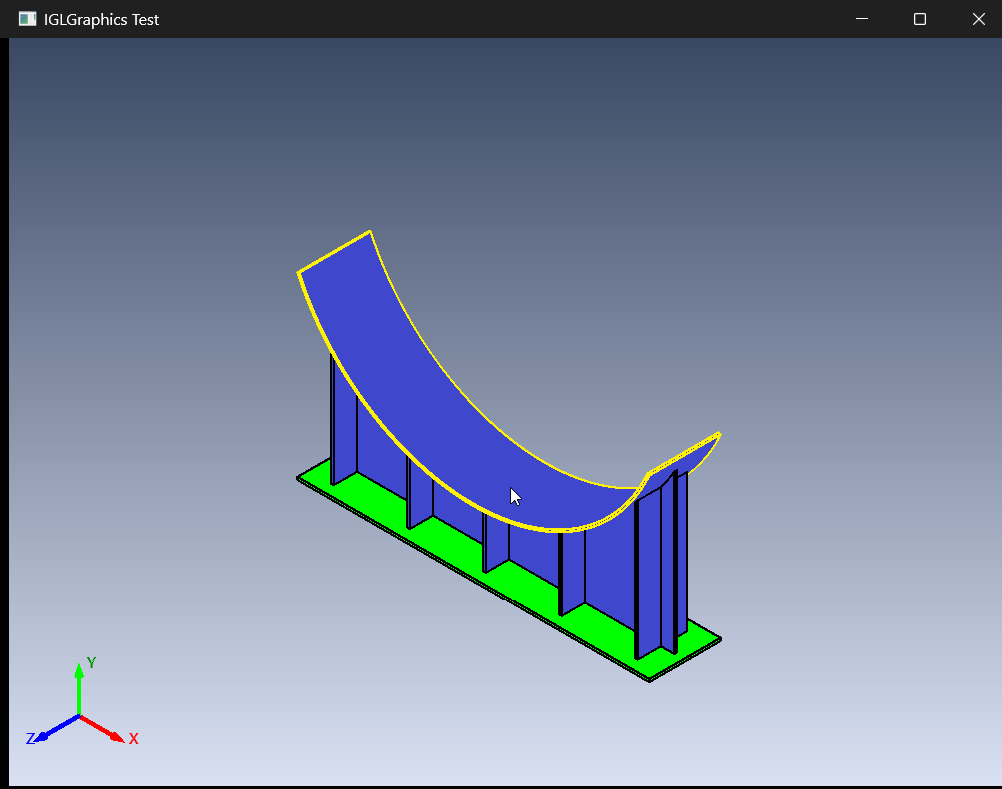
IGLGraphics Viewer

Core Features

IGLGraphics provides high-level engineering visualization systems focused on interactive desktop applications and scientific workflows.

Interactive 3D Viewer

Orbit, pan, zoom, fit-to-view, object selection, and interactive engineering visualization workflows.

Selection & Picking

Interactive picking, hover highlighting, geometry selection, and custom engineering interaction tools.

Clipping & Sections

Section views and clipping planes.

Mesh Visualization

Visualization of finite element meshes with support for multiple mesh formats (*.msh, *.unv, *.vtk, *.stl, *.obj, *.nas, *.bdf , *.med).

Result Post-Processing

Import Calculix FEA results, Display Scalar contours, deformation display, color legends, annotation textbox and result animations.

User-Defined Scalar Fields

Import meshes from supported formats and visualize arbitrary nodal scalar data without requiring FEA software. Generate contour plots and legends directly from custom datasets.

PySide6 Integration

Designed for desktop engineering applications with seamless PySide6 integration.

Visualization Workflows

Example engineering visualization workflows built using IGLGraphics.

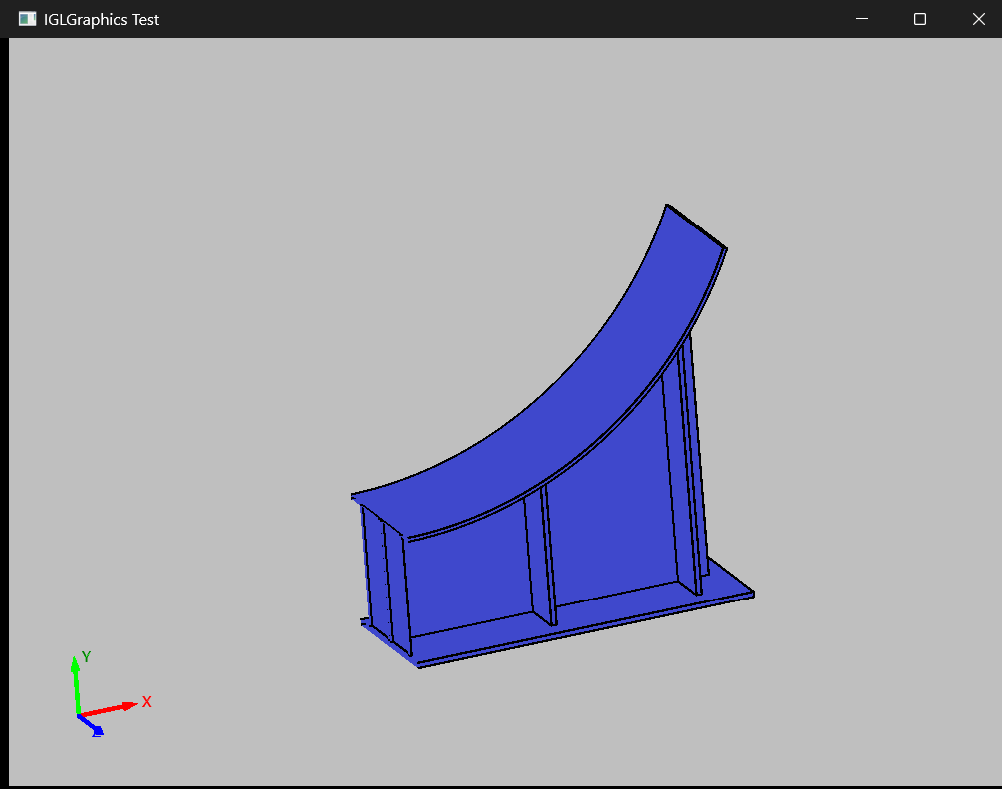
Cad Viewer

Interactive CAD Viewer

Build custom engineering viewers with assemblies, selection systems, and visualization tools.

Clipping & Section Image

Section & Clipping Tools

Create interactive section views and clipping workflows for engineering analysis and inspection.

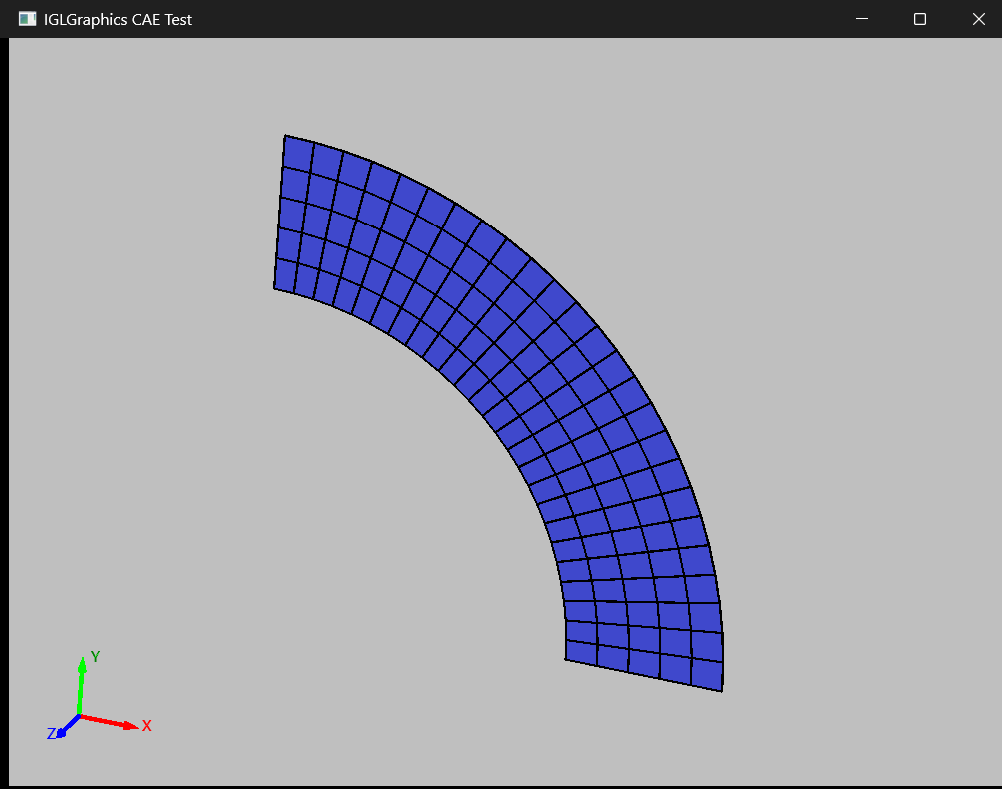
Mesh Visualization Image

Mesh Visualization

Display meshes from various file formats.

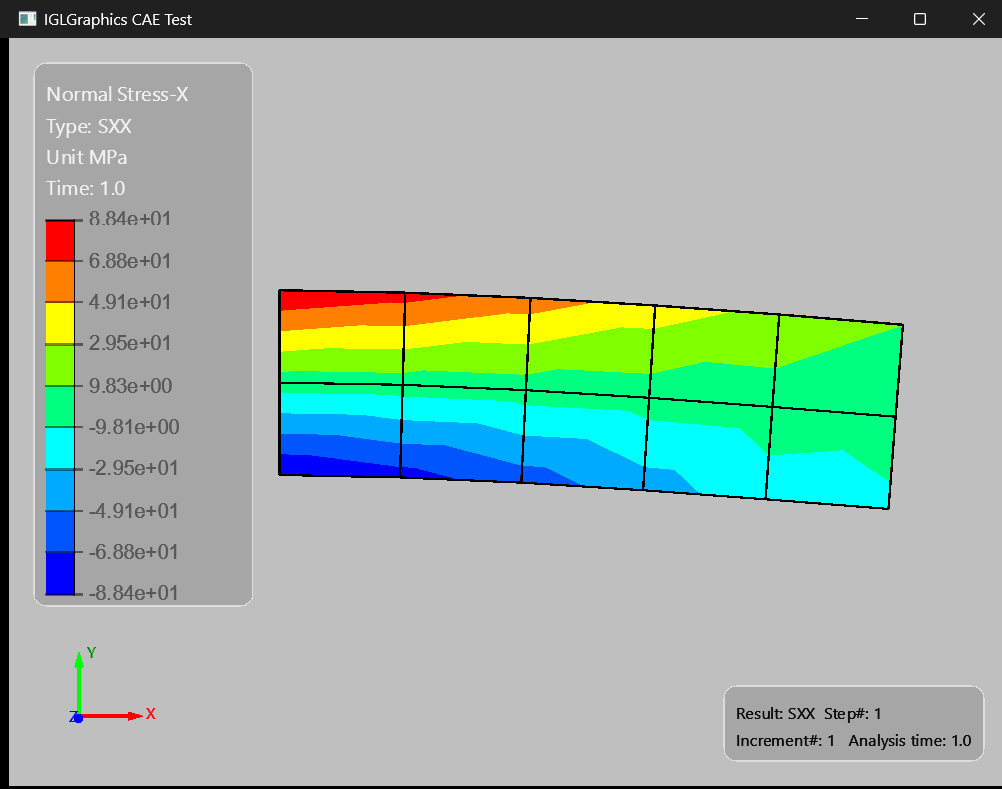
FEA Result Visualization Image

Finite Element Post-Processing

Display scalar contours, deformations, probes, legends, and result animations for finite element analysis.

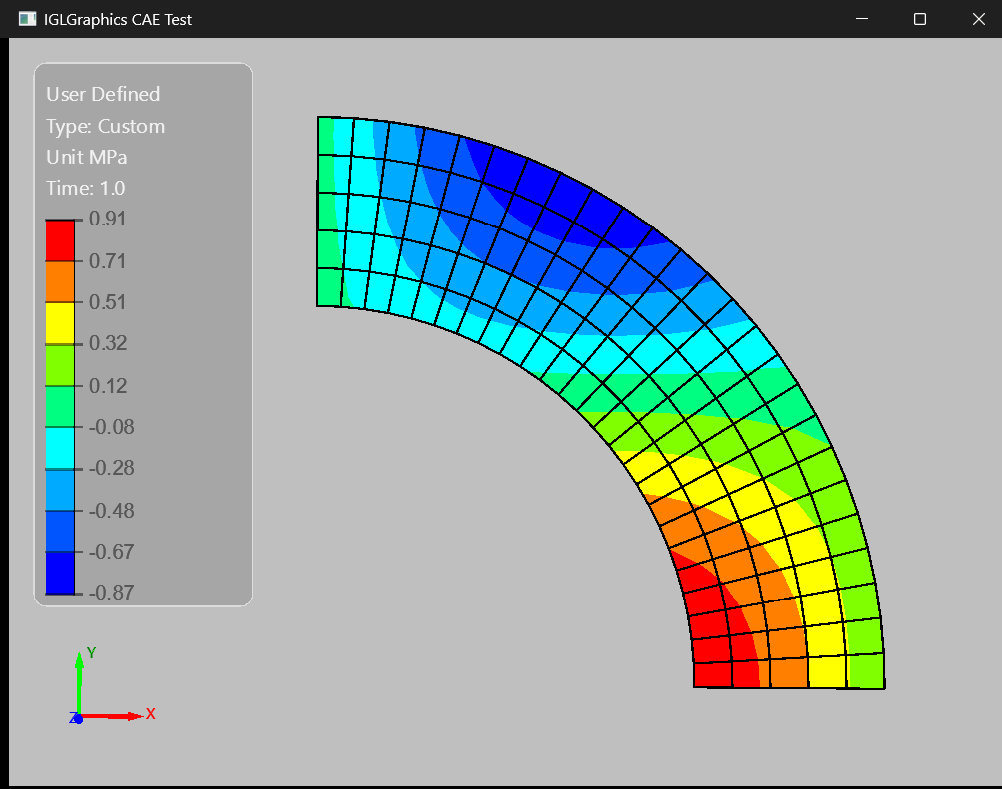
User-Defined Result Visualization Image

User-Defined Result Visualization

Visualization of arbitrary scalar data on imported meshes without requiring results from a finite element solver.

Modular Architecture

IGLGraphics is organized into reusable subsystems for engineering application development.

Core

  • Application infrastructure
  • Camera systems
  • Display context
  • Utilities & globals

Geometry

  • Geometry entities
  • Assemblies & bodies
  • Transforms
  • Scene organization

Graphics

  • Viewer systems
  • Picking & selection
  • Display presentations
  • Interactive visualization
  • Overlay widgets management

Mesh

  • Mesh data structures
  • Mesh visualization

Cae

  • Calculix FEA results processing
  • Contour visualization
  • User defined result processing
  • Post-processing workflows

Quick Start

Create an interactive engineering viewer using only a few lines of code.

from IGLGraphics.core.IGLDisplayContext import IGLDisplayContext
from IGLGraphics.graphics.IGLViewer import IGLViewer
from IGLGraphics.geometry.IGLImport import IGLImport

view = IGLViewer()
view.SetGradientBackground(True)

thecontext = IGLDisplayContext(view)

importer = IGLImport()
is_valid, Assemblies = importer.ImportGeo('Saddle.json')

thecontext.AddAssembly(Assemblies)  

# Show the main window
win.show()

view.OnZoomFit() 
IGLViewer
FREE APPLICATION

IGLViewer

IGLViewer is a free engineering visualization application built using the IGLGraphics framework.

Explore assemblies, inspect mesh structures, navigate large models, perform object selection, create clipping sections, and analyze geometry through an intuitive engineering-oriented interface.

  • Interactive 3D Navigation
  • Geometry & Mesh Visualization
  • Object Selection & Highlighting
  • Clipping & Section Views
  • Assembly Structure Browser

System Requirements

Operating System

  • Windows 11 (64-bit)

Python

  • Python 3.12
  • Compiled binaries are platform-specific and currently support Windows x64 with Python 3.12

Graphics

  • OpenGL 3.3+
  • Hardware Acceleration

Memory

  • 8 GB Minimum
  • 16 GB Recommended

IGLGraphics is a hardware-accelerated OpenGL framework. Performance depends on model complexity, mesh size, graphics hardware, and available system memory.

Pricing - Yearly Subscription

Affordable engineering visualization tools and SDK packages designed to accelerate development workflows.

IGLGraphics SDK

₹499.0

Compiled SDK package for personal and hobby engineering app development projects.

  • Personal use license only
  • Compiled .pyd modules
  • Type hints and IntelliSense
  • Calculix Results (Static / Modal) Postprocessing
  • IGLViewer with CAE Postprocessing
  • StepToJson Converter
  • No redistribution
  • Limited technical support by email
Purchase Personal License
Commercial

IGLGraphics Commercial SDK

₹4999.0

Commercial binary SDK for engineering applications and software development.

  • Commercial application usage
  • Compiled .pyd modules
  • Type hints and IntelliSense
  • Calculix Results (Static / Modal) Postprocessing
  • IGLViewer with CAE Postprocessing
  • StepToJson Converter
  • Royalty free redistribution
Purchase Commercial License

StepToJson Converter

₹99.0

Utility tool for converting STEP assemblies/models into structured JSON representation. (One Time Purchase)

  • STEP Model hierarchy extraction
  • JSON assembly export
  • Simple standalone tool
  • No redistribution
Purchase Utility
Read Terms & Conditions